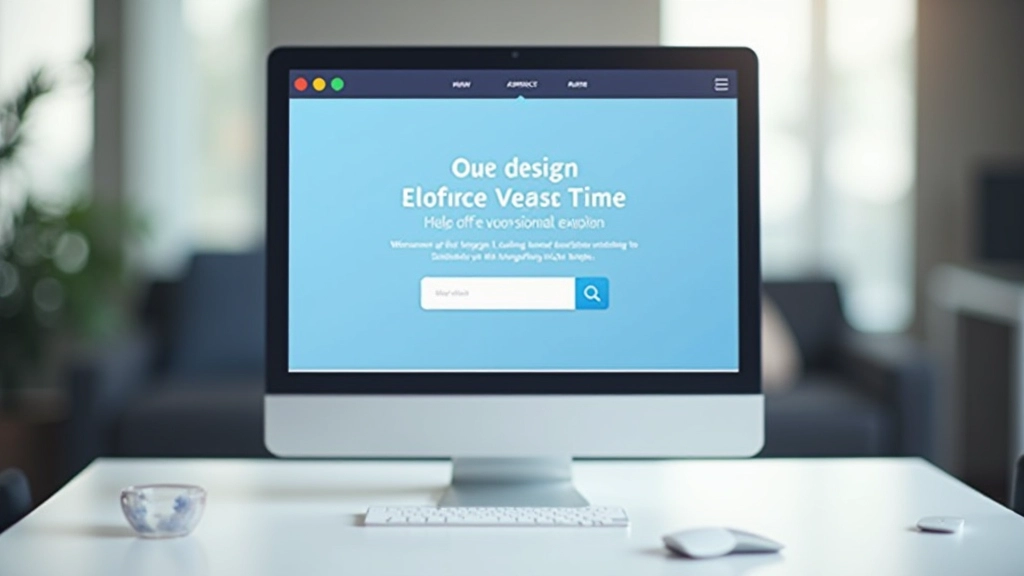
Visual Storytelling: Using Design to Build Connection
Images, color, typography, and whitespace work together to tell your brand story. This guide covers how visual choices influence trust, emotion, and conversion decisions.

Why Visual Design Matters More Than You Think
When someone lands on your page, they’re not reading every word. They’re scanning. They’re looking for visual cues that tell them whether to stay or leave. That’s where visual storytelling comes in.
It’s not just about making things look nice. Every design choice—the images you pick, the colors you use, how much space you leave empty—sends a message. You’re either building trust and connection, or you’re confusing your visitors.
The best landing pages don’t just tell their story with words. They show it through design. And when you understand how visual elements work together, you’ll start seeing conversion rates improve in ways that text alone never could.


Color Psychology in Landing Pages
You’ve probably heard that blue builds trust and red creates urgency. That’s true—but it’s only half the story. Color works differently depending on your industry, your audience, and what you’re actually trying to achieve.
Here’s what matters: consistency and contrast. Pick 3-4 colors maximum and stick with them. Your primary color (usually for buttons and links), a neutral for backgrounds, and 1-2 accent colors for emphasis. That’s it. Too many colors confuse the eye and dilute your message.
The psychological part isn’t magic. It’s about associations. Your audience already has feelings about colors based on their culture and experiences. Don’t fight that. Embrace it. If you’re selling luxury products, warm neutrals and deep jewel tones work. If you’re a tech startup, clean whites and bright primary colors build that modern image.
Images That Actually Sell
The worst landing page images are generic. You know the ones—stock photos of smiling people in business casual holding a laptop for no reason. Visitors see those and immediately distrust you because they feel fake.
Real images work better. Images that show your actual product, real customers, or authentic moments. If you must use stock photos, find ones that feel real—people in actual situations, imperfect lighting, genuine expressions. Not the overly polished, staged stuff.
But here’s the bigger principle: every image should do work. It should either explain something that text alone can’t, or it should create an emotional connection. A hero image that shows your product in action? Yes. A decorative image that repeats what the text already says? No.
Image placement matters too. People read in patterns—top to bottom, left to right in most Western languages. Put your strongest image where people look first. Use whitespace around images so they don’t feel cramped. And make sure images load fast. A beautiful image that takes 5 seconds to load might as well not exist.

The Power of Empty Space
Whitespace isn’t wasted space. It’s the difference between a page that feels calm and professional versus one that feels chaotic and desperate.
When you give content room to breathe, people actually read it. When everything’s crammed together, they scan faster and retain less. It’s that simple. Generous padding around text blocks, breathing room between sections, space around images—these aren’t luxuries. They’re necessities for readability.
Think about luxury brands. They use whitespace aggressively. Few elements on the page, lots of empty space, careful typography. That’s intentional. It signals quality and confidence. A crowded page signals panic.
Typography as Visual Communication
Your headline font is doing more work than you realize. It’s setting the tone for everything that follows. A serif font says traditional and established. A modern sans-serif says clean and contemporary. A script font says creative and personal.
But here’s where most people go wrong: they pick a fancy headline font and then use it everywhere. Headlines should be bold and distinctive. Body text should be readable and comfortable. Those are two different jobs that need two different fonts.
The best practice is simple: one font for headlines, one for body text. Use size and weight to create hierarchy, not multiple different fonts. And keep line length in check—around 60-70 characters per line for maximum readability. Too narrow and people get tired reading. Too wide and they lose their place.
Don’t forget about contrast. Light gray text on light background? That’s illegible. Black text on white? That’s readable but harsh. Dark gray on off-white is readable and easier on the eyes. Test your text colors at actual size to make sure they work.
Visual Consistency Builds Trust
Here’s something you’ll notice on every strong landing page: consistency. The same fonts used throughout. The same colors in the same places. The same spacing patterns repeated across sections. It’s not boring. It’s professional.
Visual System
Create a simple design system before you start building. Document your colors, fonts, spacing, and component styles. This isn’t extra work—it’s the work that prevents extra work later.
Spacing Rules
Pick 3-4 spacing increments and use only those. If you use 16px, 24px, 32px, and 48px consistently throughout your page, it automatically feels more cohesive than randomly using different spacing everywhere.
Button Styles
All buttons should look like buttons. Same size, same font, same color. If you have primary and secondary actions, make that distinction clear through color or style—not through guessing.
Icon Consistency
If you use icons, use them consistently. Same style (outline vs. filled), same size, same color. Mix and match different icon styles and your page feels disjointed.
Putting It All Together
Visual storytelling isn’t a separate skill from web design. It’s the foundation of it. Every design decision you make—color, image, typography, spacing—is part of your story. You’re either telling a coherent, compelling story, or you’re telling five different stories at once.
“Good design is invisible. It doesn’t distract. It guides visitors exactly where you want them to go and makes them feel exactly what you want them to feel.”
The pages that convert best aren’t the most beautiful ones. They’re the ones with the clearest story. Every element—the images, the colors, the spacing, the fonts—all points toward one goal. No confusion. No competing messages. Just clarity and purpose.
Start small. Pick one element to improve. Maybe it’s your color palette. Maybe it’s your whitespace. Maybe it’s your typography. Fix that one thing and watch how it improves the entire page. That’s how you build visual storytelling skills—one decision at a time.
Ready to explore more about landing page design? Check out our guide on page structure fundamentals to learn how layout decisions impact visitor behavior.
Read Next ArticleDisclaimer
This article is for educational purposes and provides general guidance on visual design principles for landing pages. Design effectiveness varies based on industry, audience, and specific business goals. Results depend on proper implementation, testing, and ongoing optimization. We recommend testing design changes with your actual audience and consulting with professional designers for complex projects. The statistics and recommendations presented are based on general best practices and may not apply to all situations.